Your Whole Life, Organized in One Beautiful Planner
Money, goals, habits, health and to-dos in one spreadsheet that updates itself. Works in Excel and Google Sheets on your phone, tablet and computer.
Get the Planner →Instant download · Excel + Google Sheets editions included
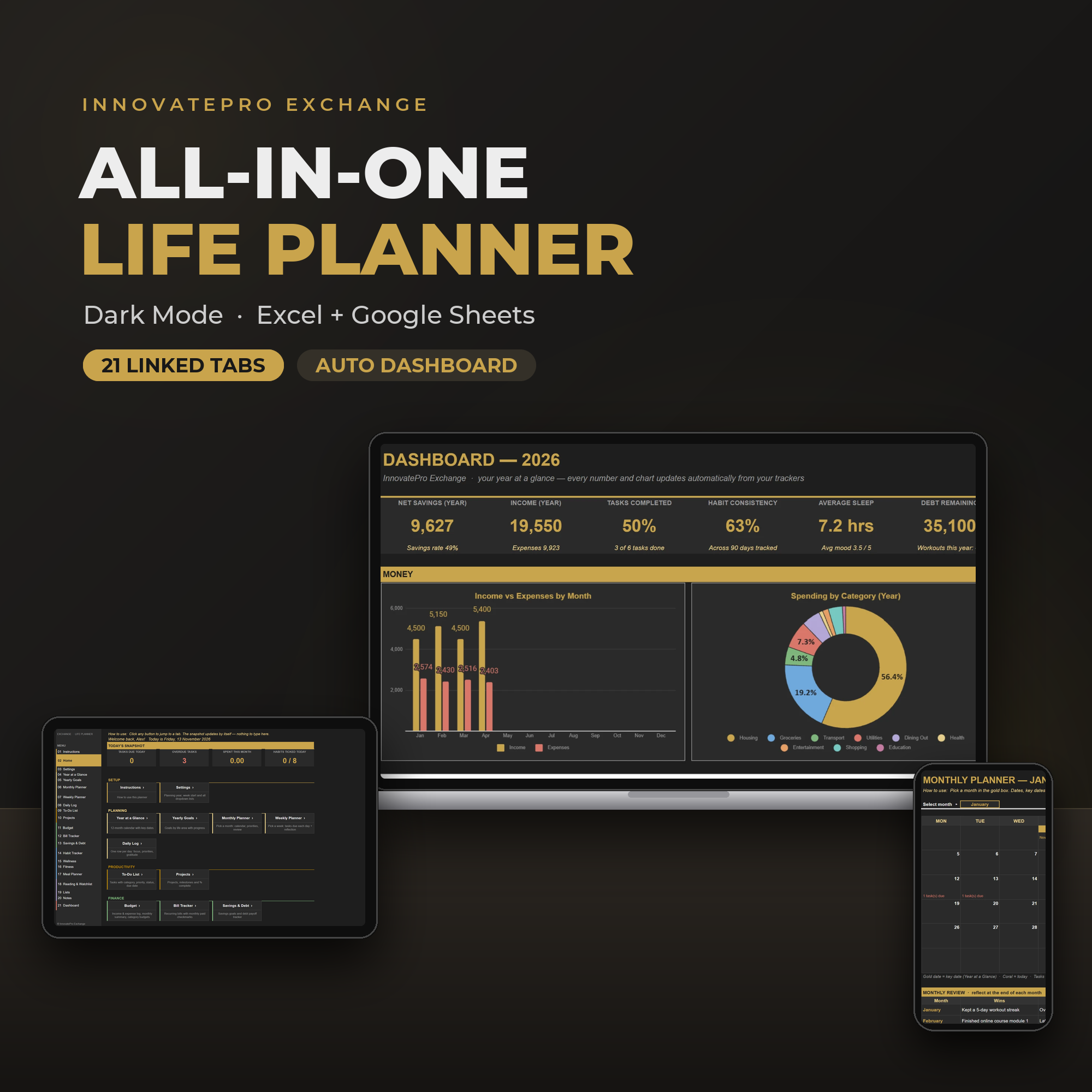
Your life is scattered across too many places
A budgeting app, a habit app, sticky notes, a calendar, three notebooks… and still no clear picture of how you're actually doing.
Bills and money slip through
You only notice the overspending or the missed bill when it's already too late, because nothing tracks it in one place.
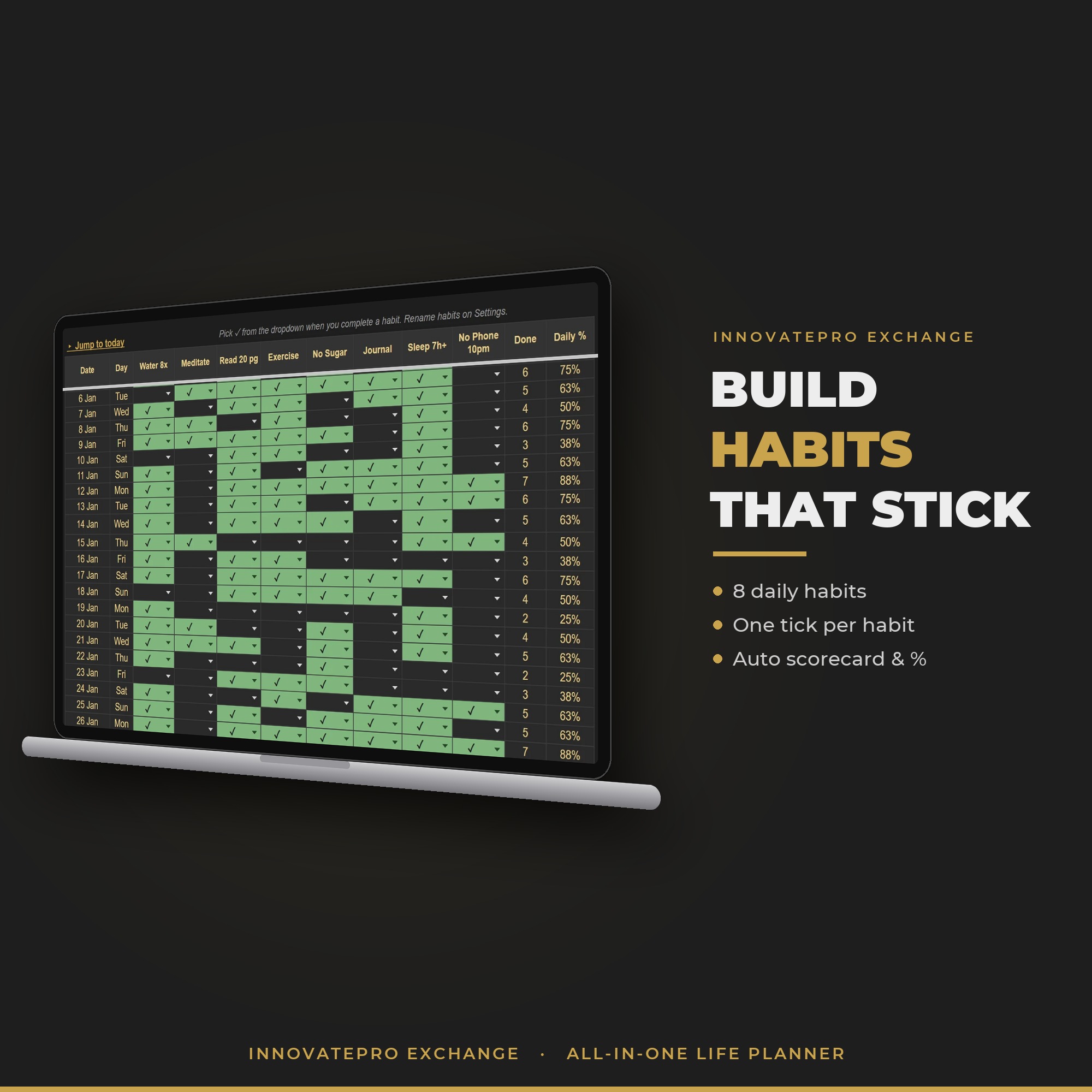
Habits start strong, then fade
Without seeing your streaks and progress, new routines quietly disappear by week three.
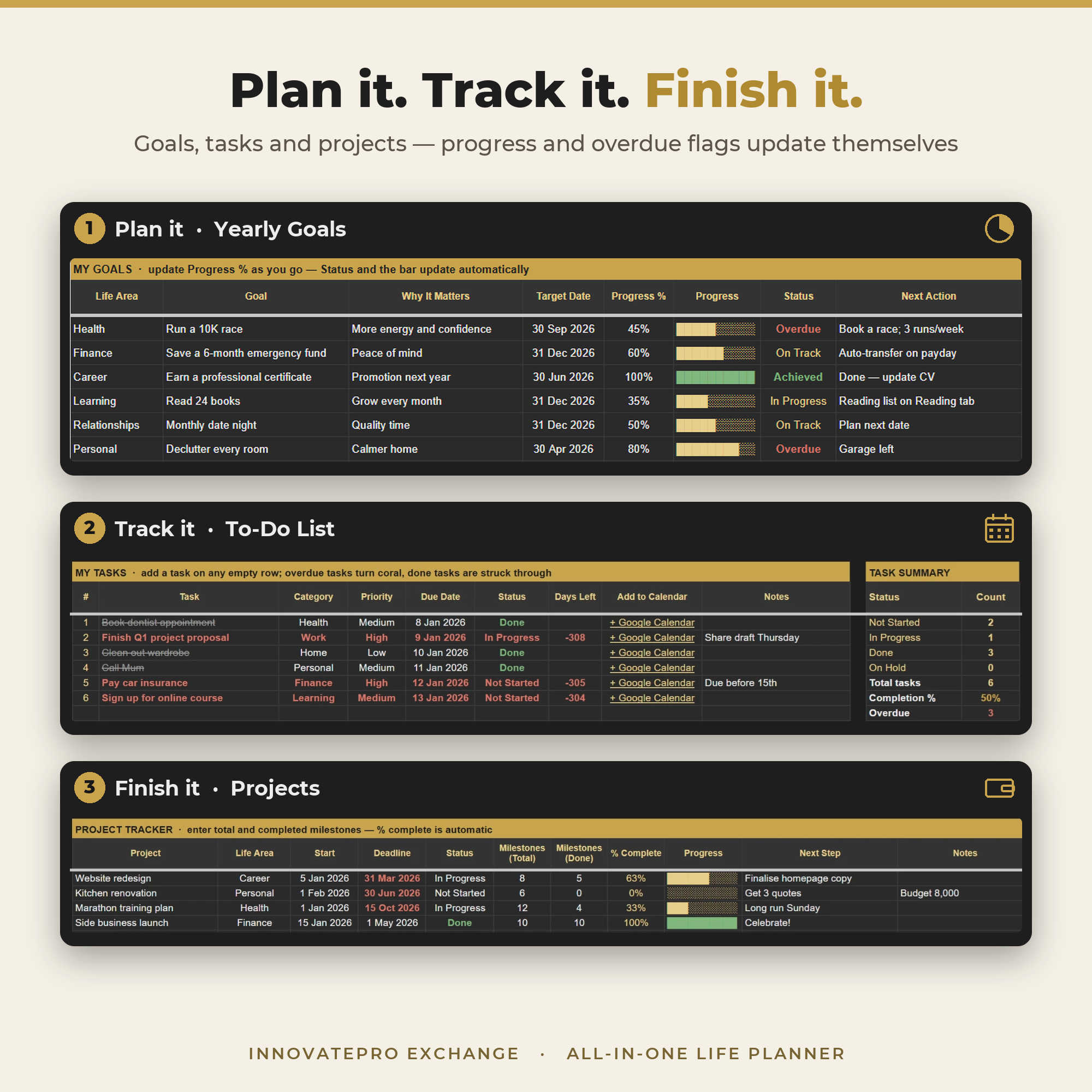
Goals stay vague
Big yearly goals never turn into weekly tasks, so the year ends with the same list you started with.
One planner. One dashboard. Your whole year at a glance.
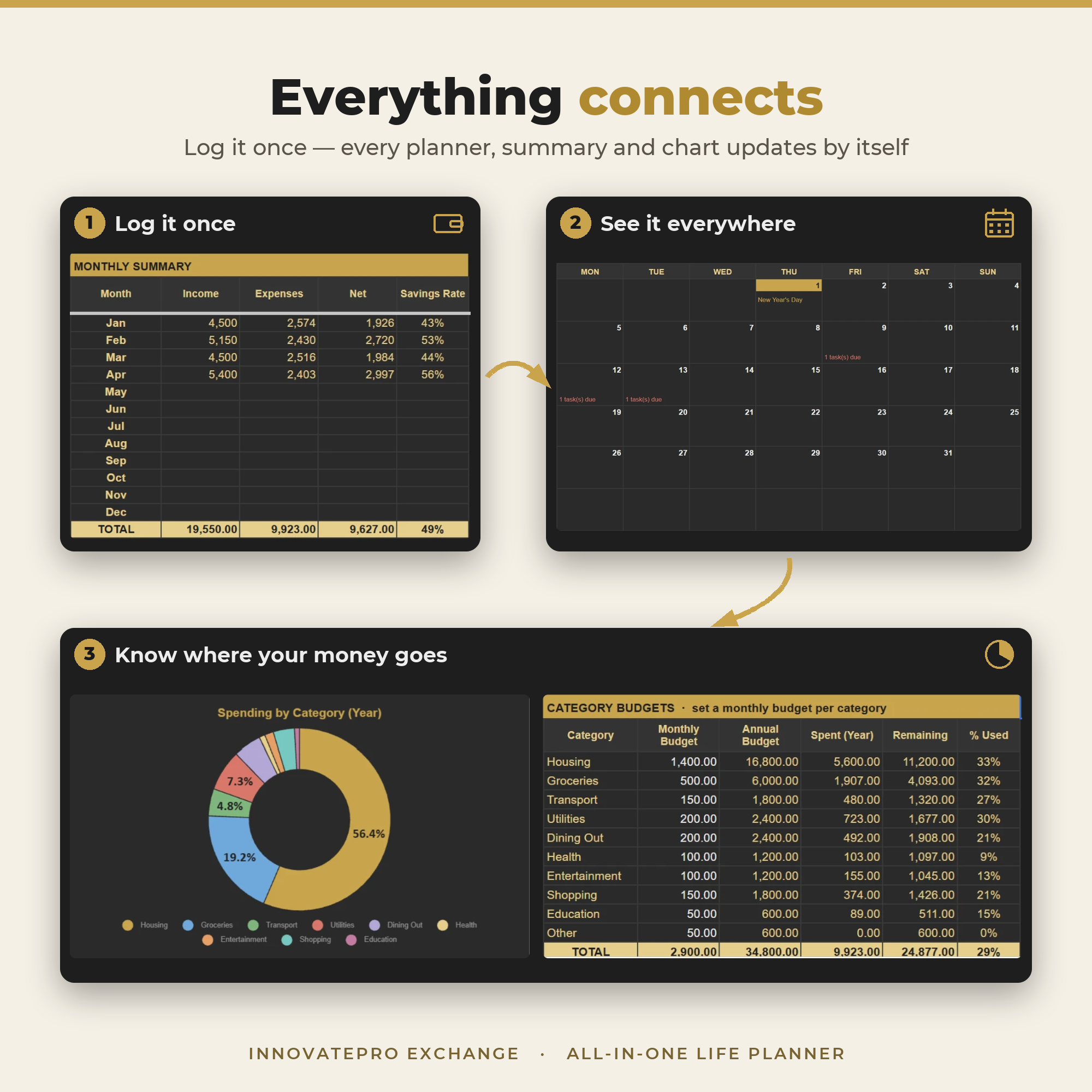
Log something once and it shows up everywhere: on your monthly calendar, your weekly plan and your dashboard charts. No formulas, no setup, no switching apps.
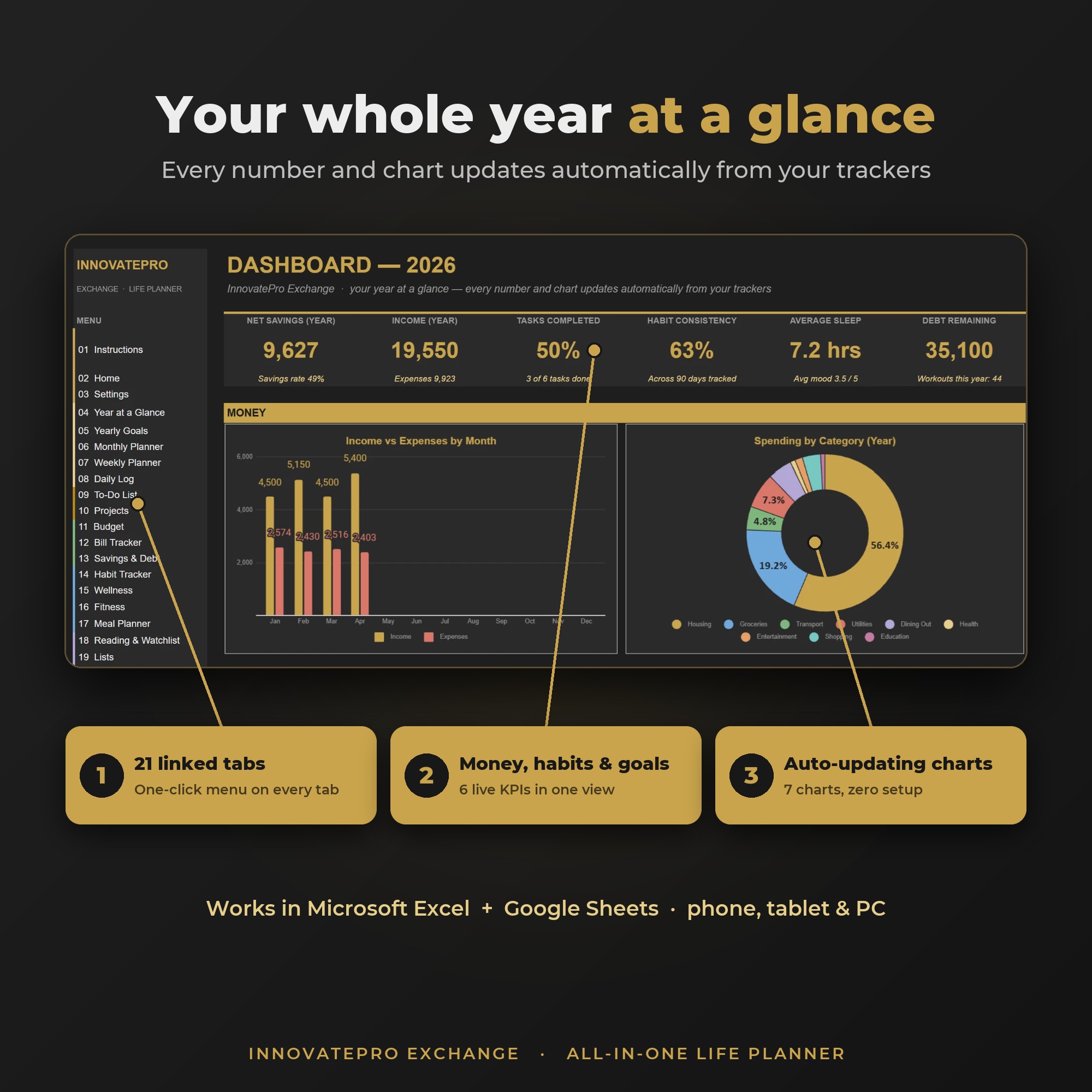
- Savings, income and spending charts
- Habit consistency and sleep averages
- Tasks, goals and project progress
- Calendars that rebuild for any year
- Monday or Sunday week start
- Clickable menu on every tab
Built for real life, not just pretty pages
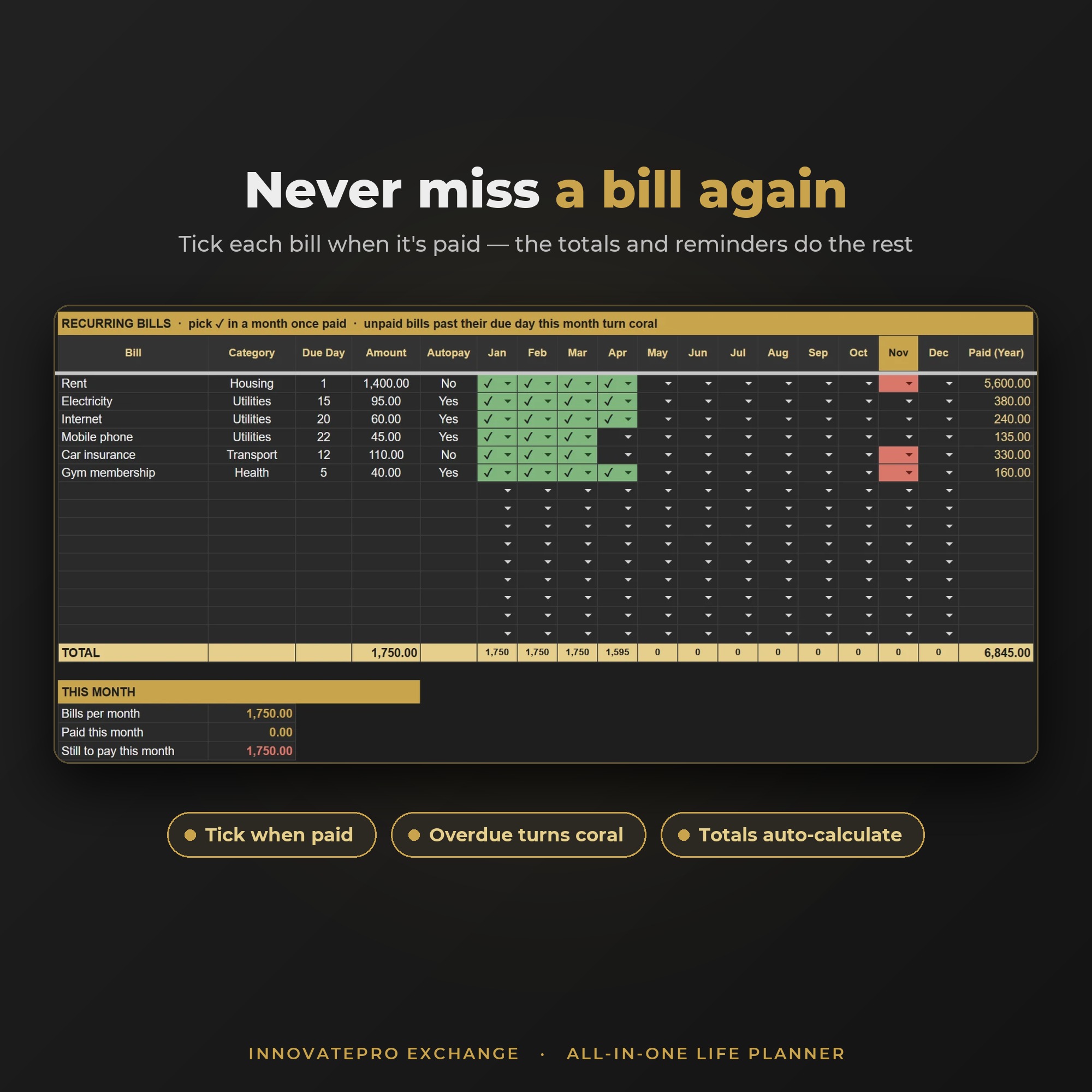
Money on autopilot
Log income and expenses in seconds. Monthly totals, savings rate and category budgets calculate themselves, and bills turn coral when they're overdue.
- Budget with 300 transaction rows and category limits
- Bill tracker with monthly paid ticks
- Savings goals and a debt payoff estimator
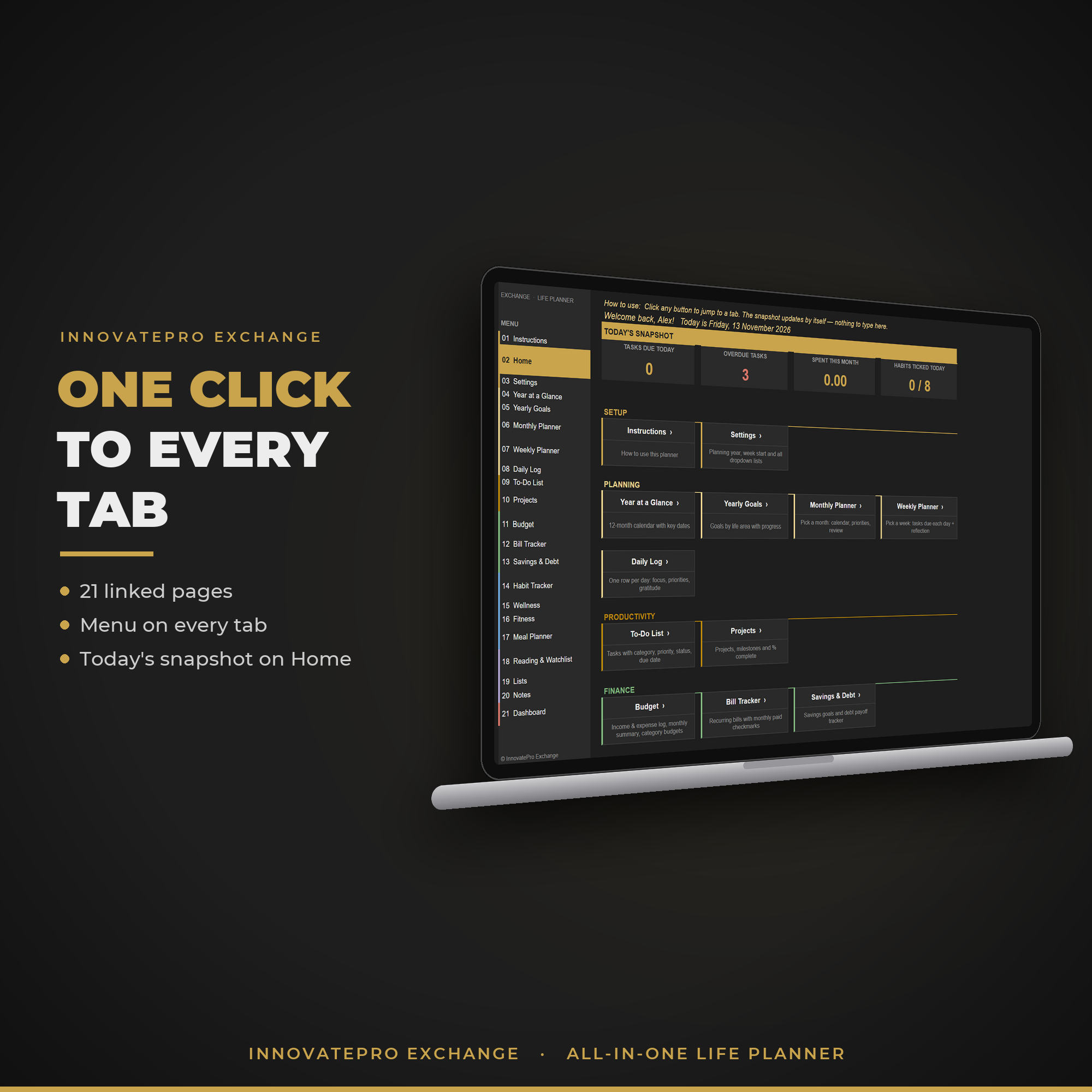
One click to every tab
A Home hub and a built-in menu on every page mean you never hunt for a sheet. Open the planner, see today's snapshot, jump straight to what you need.
- Home hub with today's tasks, spending and habits
- Year, month, week and daily planners
- Step-by-step instructions built in
Everything connects automatically
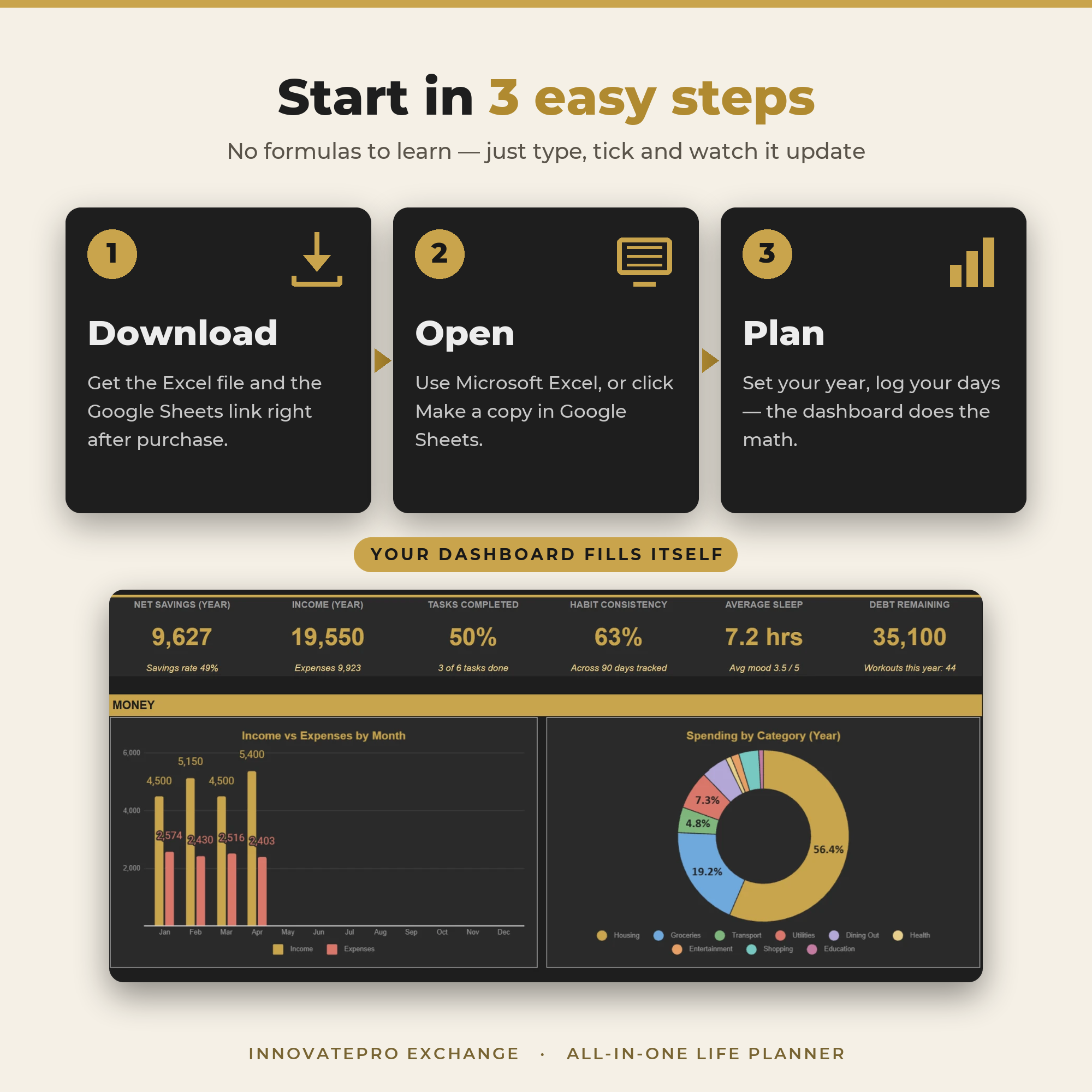
Add a task with a due date and it appears on your weekly and monthly planner. Add a birthday or holiday and it lights up on every calendar. Your dashboard fills itself.
- Tasks flow into the Weekly and Monthly Planner
- Key dates glow gold across all calendars
- Habit, wellness and fitness trackers feed the charts
Even more inside your planner
Habits, health, goals, tasks and projects, all connected to the same dashboard.
21 tabs. 2 editions. One simple price.
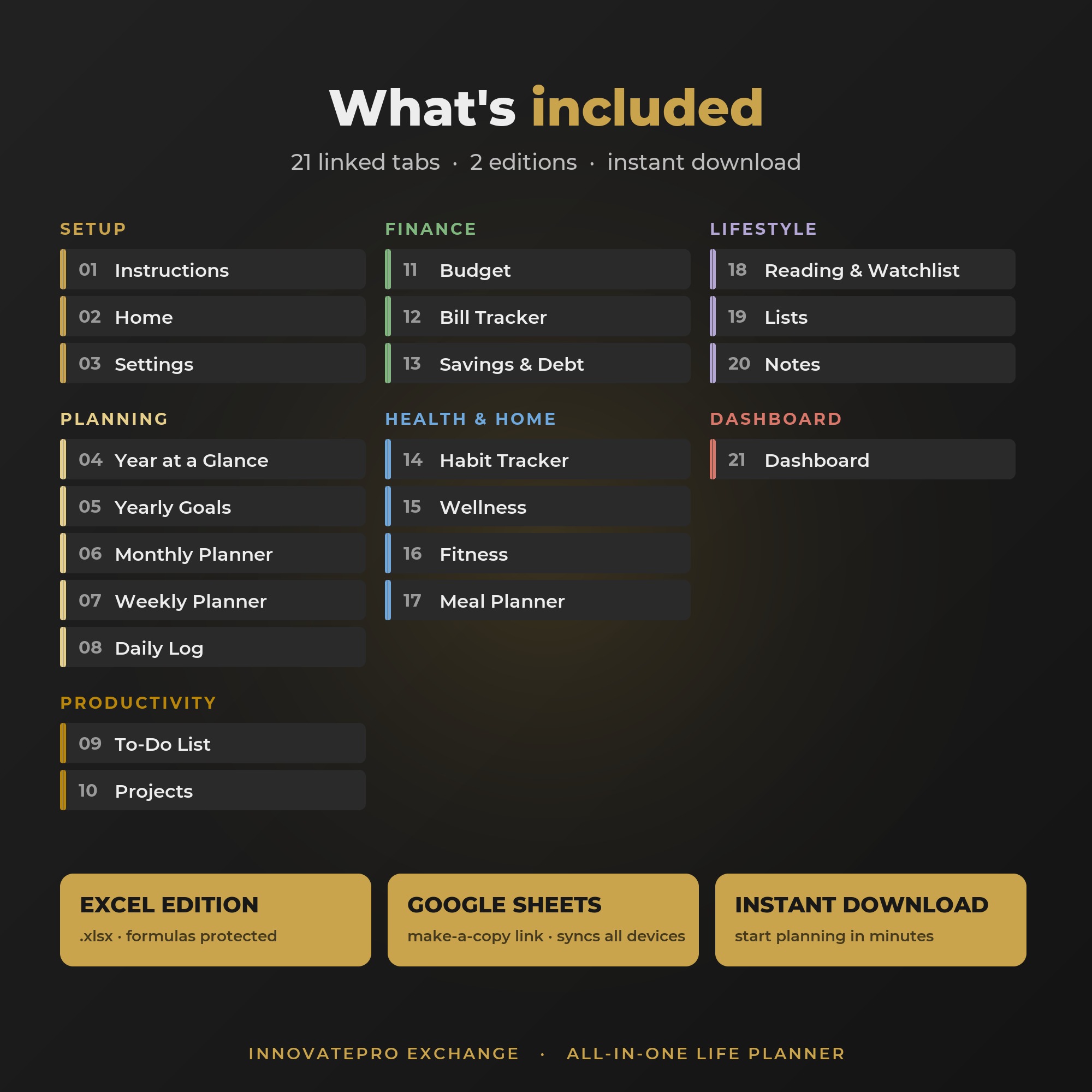
- ✓Auto-updating Dashboard6 key numbers and 7 charts: money, habits, sleep, workouts, goals and tasks
- ✓Year at a Glance + Yearly Goals12-month calendar with your key dates, goals with progress bars
- ✓Monthly, Weekly and Daily PlannersTasks and key dates fill in automatically for any month or week
- ✓To-Do List + ProjectsPriorities, due dates, overdue alerts and one-click "Add to Google Calendar"
- ✓Budget, Bill Tracker, Savings & DebtMonthly summary, category budgets, paid ticks and a payoff estimator
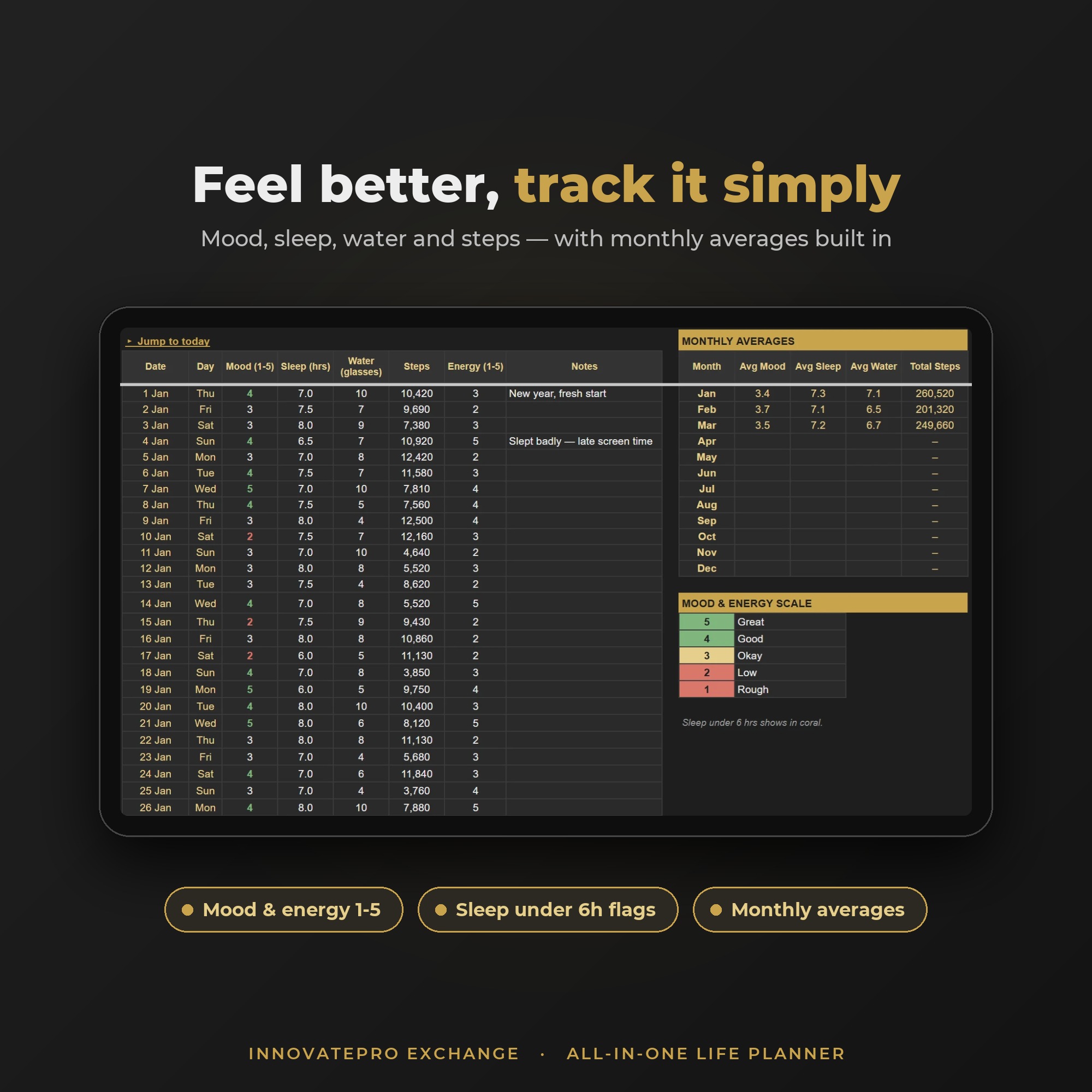
- ✓Habit Tracker + Wellness + Fitness8 daily habits, mood, sleep, water, steps, workouts and body progress
- ✓Meal Planner + Grocery List7-day meal grid, tick-as-you-shop list and recipe ideas
- ✓Reading & Watchlist, Lists, NotesBooks and shows, birthday countdowns, contacts, wishlist, travel and meeting notes
- ✓Excel Edition + Google Sheets EditionUse it in Microsoft Excel or Google Sheets, synced across phone, tablet and PC
- ✓Built-in Instructions GuideQuick start, how the tabs connect, FAQ and safe sample-data clearing
Start planning in 3 easy steps
Download, open in Excel or Google Sheets, and start logging. The dashboard does the maths.
Organize your whole year for less than a takeaway dinner
You save $30
- All 21 linked tabs + auto dashboard
- Excel edition (.xlsx) + Google Sheets edition
- Works on phone, tablet and computer
- Reusable every year: just change the year
- Instant digital download
Loved by planners
"[Paste a real customer review here.]"
"[Paste a real customer review here.]"
"[Paste a real customer review here.]"
Frequently asked questions
What do I need to use the planner?
Either Microsoft Excel (2016 or later, Excel 365 or the Excel mobile app) or a free Google account for Google Sheets. Both editions are included.
Does it work on my phone or iPad?
Yes. Open the Google Sheets edition in the free Google Sheets app and your changes sync across phone, tablet and computer. A tablet or computer gives the best view.
How do I get it after I buy?
Right after payment you'll download your planner PDF (we email it to you too). Inside are two buttons: Google Sheets (click Make a copy and it's saved to your own Google Drive) and Excel (downloads the .xlsx file). Use either one, or both.
Do I need to know formulas?
Not at all. You just type, pick from dropdowns and tick boxes. Every total, chart and calendar updates itself, and the formula cells are protected so you don't break them by accident (locked in Excel, with a warning in Google Sheets).
Can I use it next year too?
Yes. Change the Planning Year on the Settings tab and every calendar, log and chart rebuilds for that year. Monday or Sunday week start is your choice.
Is this a physical product?
No, it's a digital download. Nothing will be shipped. You can print any tab if you like.
What if I need help?
The planner includes a full Instructions tab with a quick start and FAQ. If you're still stuck, contact us at [email protected] and we'll help you get set up.
Stop juggling apps. Plan everything in one place.
Get the All-in-One Life Planner today, set it up in 5 minutes, and watch your dashboard fill itself.
Yes, I Want the Planner: $19 →Instant download · Excel + Google Sheets · Phone, tablet & PC